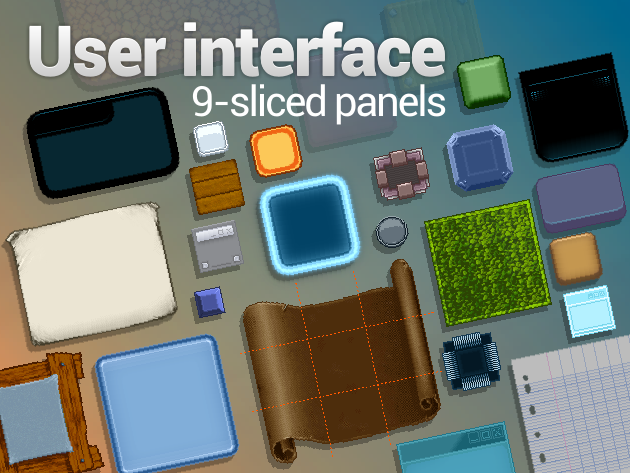
Resize / stretch the assets known as 9 sliced panels to fit your projects for displaying texts, dialogue boxes, icons or any useful informations on panels.
What does “9-sliced panels” mean?
9 slicing is a technique for scaling graphic assets using a 3×3 grid based:
- Corners are fixed and don’t change in size.
- Top and bottom edges are tiled horizontally.
- Left and right edges are tiled vertically.
- Middle part are tiled horizontally and vertically.
This way the UI panels (cut in 9 “slices”) are not distorted and the details preserved.
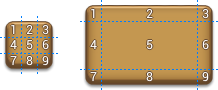 Tips: All the 9 parts of the panels don’t need to be equal, middle part can be one pixel wide/high only!
Pixel perfect ratio and mobile-friendly
This old trick still works very nice because it’s easy to implemente and great perfomance-wise for keeping a same asset for any screen resolution.
Featuring 40 panels (there is no color duplication, each panel is unique!):
- Basic,
- Dark,
- Nature,
- Neon,
- Paper,
- Pixel,
- Plastic,
- Sci-Fi,
- System,
- Wood.
- and more….